Video call in Bunpo: speak with an AI partner
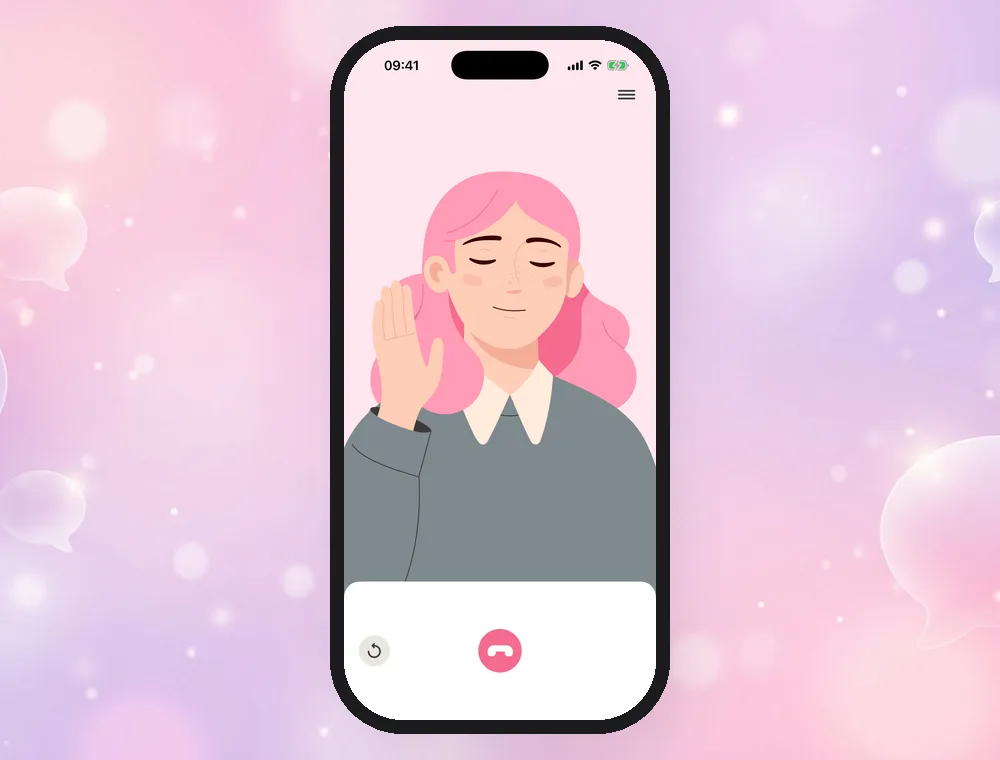
Video call lets you practice real conversations out loud with an AI character in the language you are learning. Choose a partner, set the scene, and talk: the character listens to you, answers in its own voice and reacts with facial expressions. Video call is part of Bunpo Platinum and works on iPhone and Android.
Published November 12, 2026 · Updated November 12, 2026
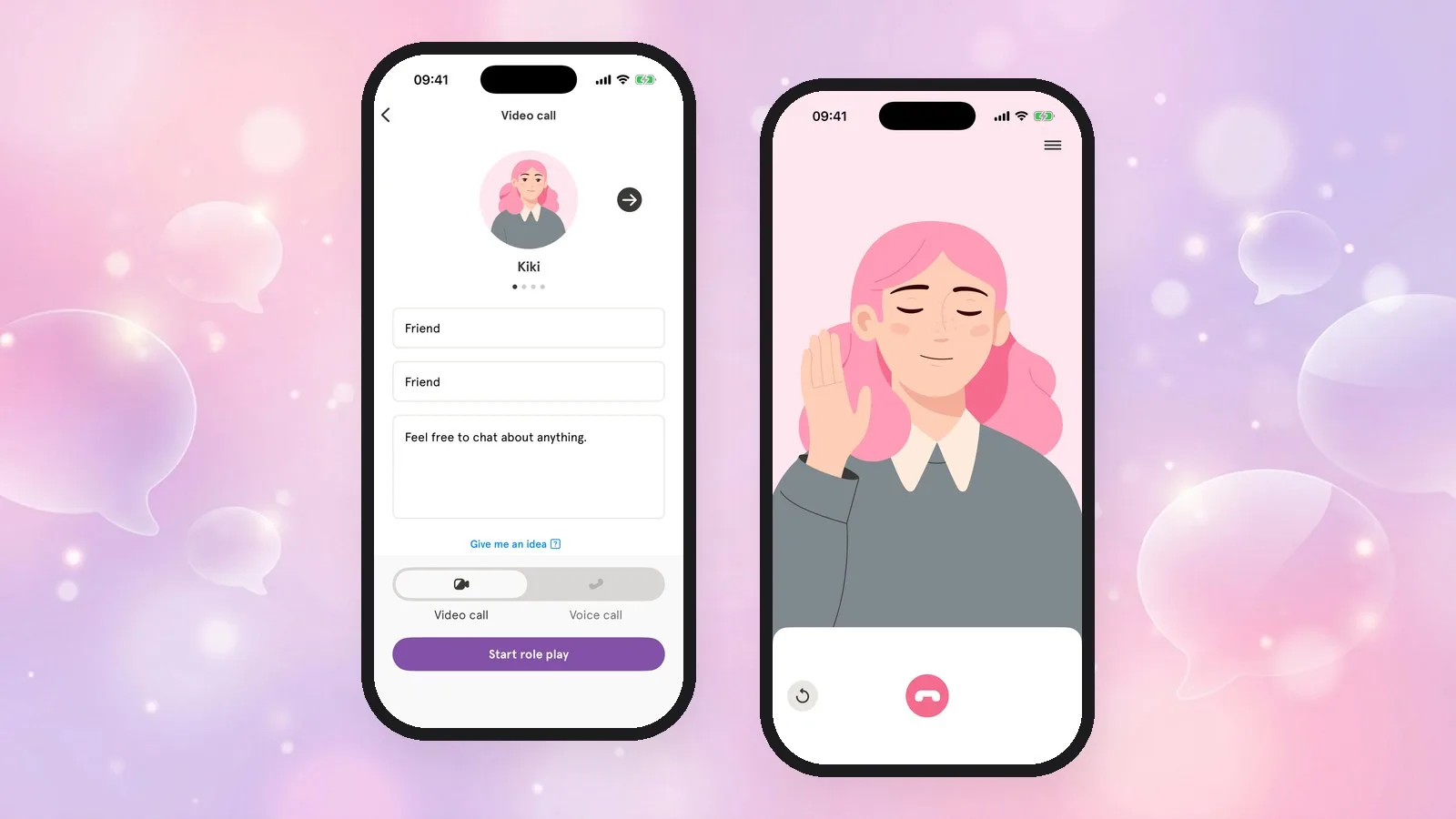
Three things that make Video call different
1. You decide the role and the scene
Write your role, your partner's role and the scenario, or tap Give me an idea to get one. Small talk with a friend, ordering at a café, a job interview: you rehearse exactly the situation you need next.
2. Four partners, video or voice
Talk with Kiki, Sana, Nora or Jun. In a video call you see an animated character whose face and mouth move as it speaks; choose a voice call if you only want audio.
3. Subtitles and translations keep the conversation going
Turn on subtitles to read what your partner says, with a translation into your own language, and replay the last line whenever you miss something. You keep talking instead of getting stuck.
Who it is for
New to English? Start with the beginner English speaking guide for a short conversation to practice and a first role-play setup.
- Learners who understand more than they can say and want to get used to speaking without the pressure of a real person.
- Learners preparing for a trip, a move or an interview who want to rehearse a specific situation.
- Anyone who has finished a few lessons and wants to use the new grammar and words right away.
How to use Video call
-
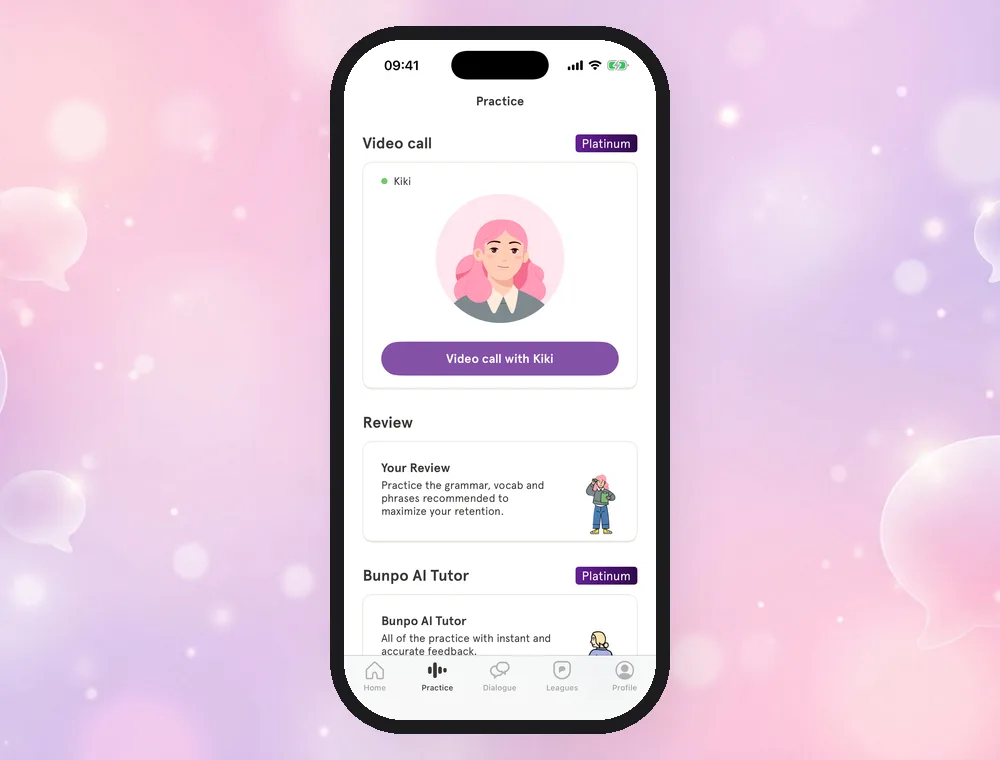
Open the Practice tab and tap Video call with Kiki.
-
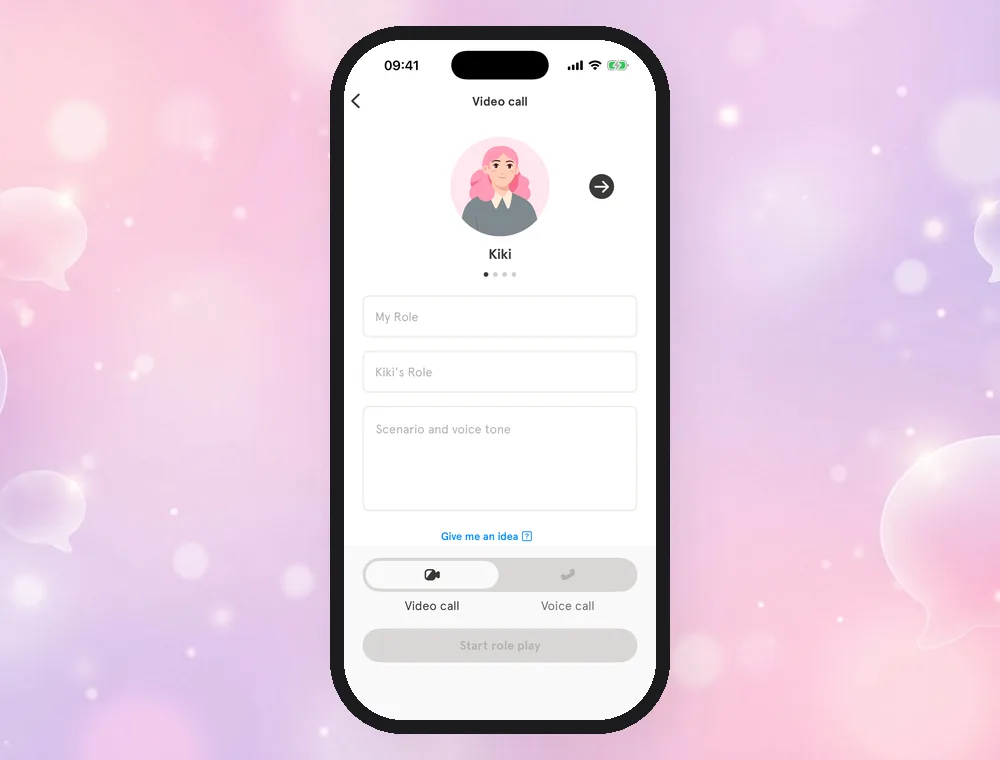
Choose your partner. Swipe through Kiki, Sana, Nora and Jun.
-
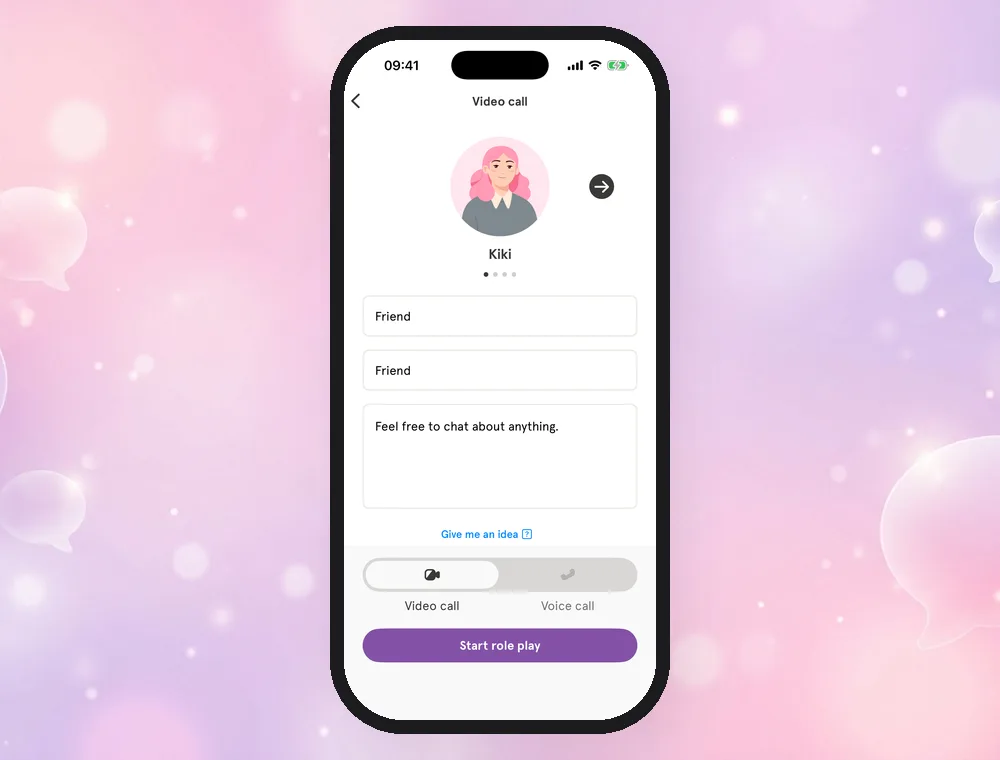
Set the scene. Fill in My role, your partner's role and Scenario and voice tone, or tap Give me an idea. Then choose Video call or Voice call and tap Start role play.
-
Talk. Your partner listens and answers. You can turn on subtitles with translations, tap the replay button to hear the last line again, and tap the red button to end the call. After the call you can read the whole conversation again.
How it differs from general AI chat apps
General AI assistants can also talk with you by voice, but you have to set everything up yourself. Video call is built for language practice:
| Bunpo Video call | General AI voice chat | |
|---|---|---|
| Partner | Four characters with their own voices and animated faces | One assistant voice |
| Setting up a situation | Fill in roles and a scene, or tap Give me an idea | Write your own instructions |
| Language | Always the language you are learning in Bunpo | Whatever you ask for |
| Subtitles and translation | Built in | Depends on the app |
| Connection to lessons | Use the grammar and words from your Bunpo lessons in the same app | Separate from your study |
Plans and limits
| Free | Bunpo Platinum | |
|---|---|---|
| Video call and voice call | Not included | Included |
| Number of calls | — | No limit |
| Call length | — | No limit |
| Platforms | — | iPhone and Android |
See How much does Bunpo cost? for prices by country.
What learners say
"Honestly, the app is great, with the little cat and the girl named Kiki, it's perfect! The app teaches you to write, speak and read!"
— Hae.yun98, App Store review (France, September 2026, 5 stars, translated from French)
"Very well-made and engaging app with gradually increasing difficulty as you move through the lessons. The AI voice sounds about as good as possible."
— Solaris Blue, App Store review (United States, September 2025, 5 stars)
More reviews: Bunpo reviews.
FAQ
Is Video call free?
Video call is included in Bunpo Platinum. Without a subscription you can still use the first lessons of each course, the first Dialogue lesson, basic AI tutor conversation, Snap! and your first review. With Platinum there is no limit on the number or length of calls.
Which language does Video call use?
The call is in the language you are currently learning in Bunpo. Switch your learning language in the app to practice another one.
Does Video call correct my mistakes?
Yes. Video call corrects your mistakes as you talk, so you learn more natural ways to say things while the conversation keeps going.
Do I talk to a real person?
No. Your partner is an AI character, so you can practice at any time of day and make mistakes without worrying.
Do I need a camera?
No. Only your microphone is used. "Video call" means you see an animated character; choose "Voice call" if you prefer audio only.
Get Bunpo
Download Bunpo from the App Store or Google Play, then open the Practice tab.