Snap! in Bunpo: take a photo of a question and get a step-by-step answer
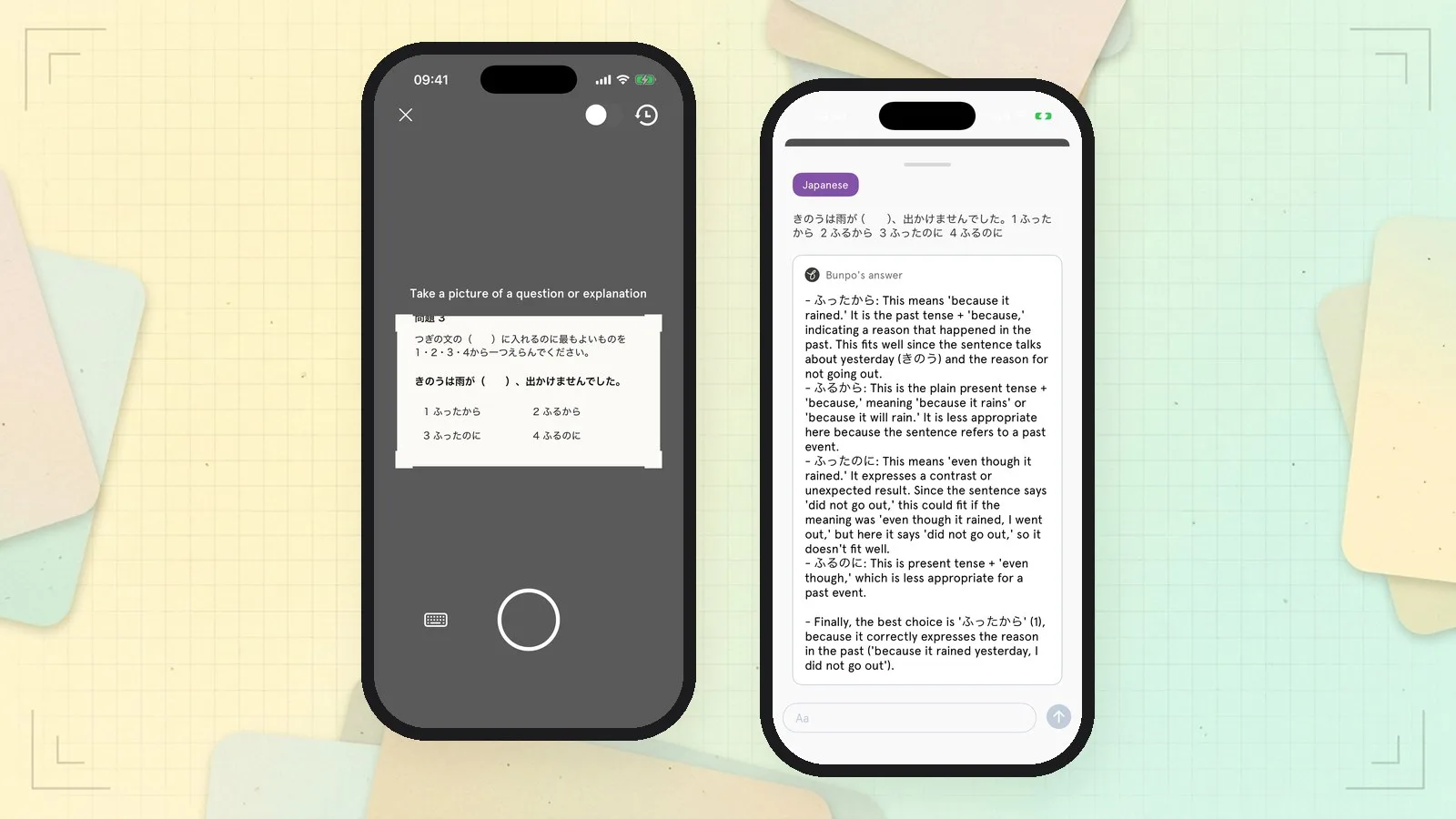
Snap! explains language questions from a photo. Take a picture of a question from a textbook, a worksheet or a test, and Bunpo answers it step by step: it goes through every option, explains why each one fits or not, and tells you the best answer. Snap! is free and works on iPhone and Android. Bunpo's AI features use OpenAI's latest models.
Published November 13, 2026 · Updated November 13, 2026
Three things that make Snap! different
1. Every option explained, not just the answer
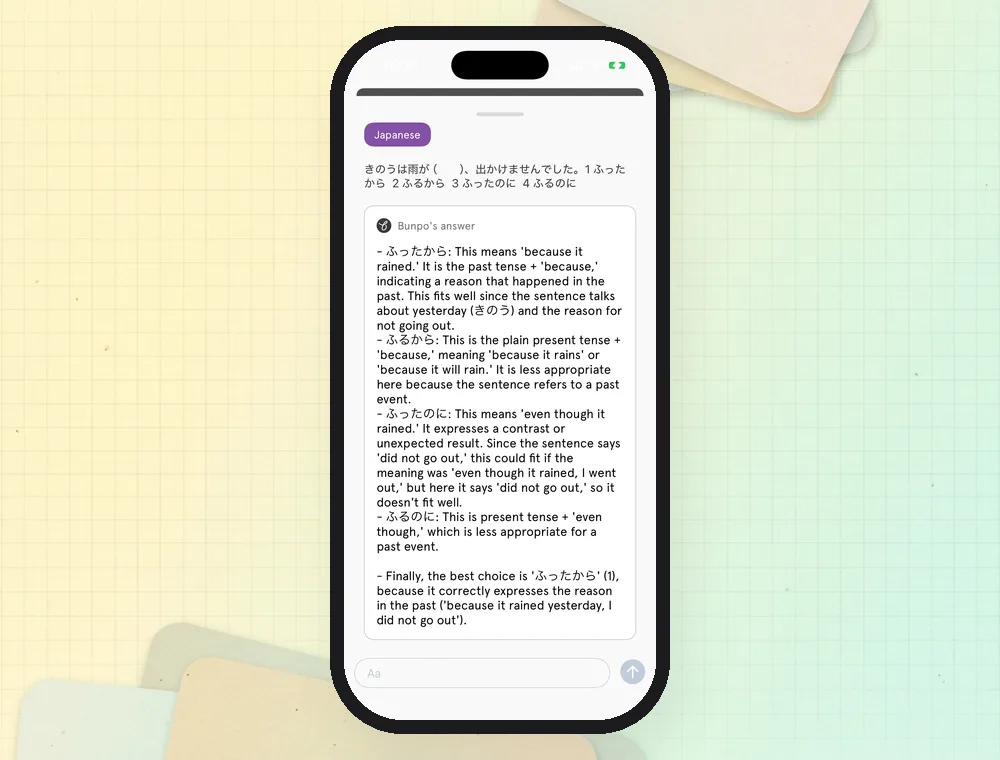
For a multiple-choice question, Snap! explains each option one by one, such as what it means, which tense it uses and why it does or does not fit, before giving the best answer. You learn the grammar behind the question.
2. Photo or keyboard
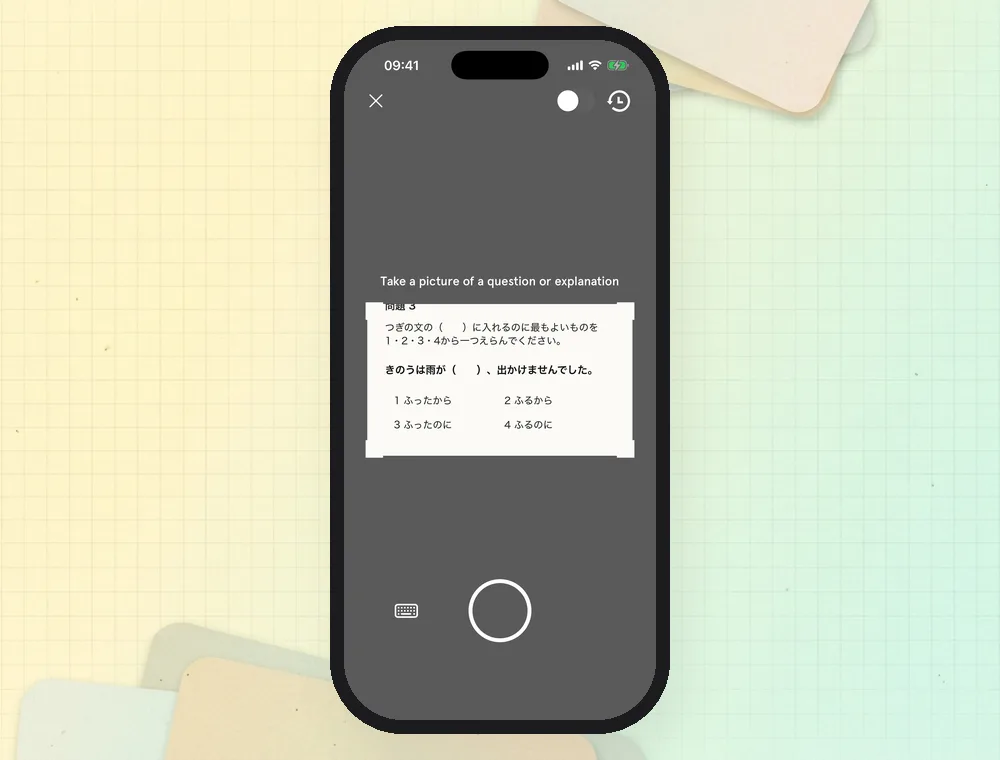
Point the camera at a question and crop it by dragging the corners. If you would rather type, or your device has no camera, tap the keyboard and enter the question.
3. Keep asking
Ask follow-up questions under the answer, see example sentences and an example conversation, and find past questions again in History and Favorites.
Who it is for
- Learners doing homework, workbooks or past JLPT-style papers who want to understand the answers.
- Learners who get a question wrong and do not know why.
How to use Snap!
-
Open Snap! In the Practice tab, tap Scan & solve, and take a picture of a question. Crop it by dragging the corners.
-
Read the answer. Bunpo explains every option step by step and gives the best answer. Ask a follow-up question in the box below if you want more.
You can also turn on Open with camera so the app opens straight into Snap! every time.
How it differs from general AI photo apps
| Bunpo Snap! | General AI apps with photo input | |
|---|---|---|
| Focus | Language questions: grammar, vocabulary, reading | Anything |
| Answer | Every option explained, then the best answer | Depends on how you ask |
| Keeping your questions | History and Favorites | Chat history |
| Connection to lessons | In the same app as your lessons and Review | Separate from your study |
Plans
| Free | Bunpo Platinum | |
|---|---|---|
| Photo or typed questions with step-by-step answers | Included | Included |
| Unlimited follow-up questions, example sentences and example conversations | Not included | Included |
| Platforms | iPhone and Android | iPhone and Android |
See How much does Bunpo cost? for prices by country.
FAQ
Is Snap! free?
Yes. Taking a photo of a question and getting a step-by-step answer is free. Unlimited follow-up questions, example sentences and example conversations are included in Bunpo Platinum.
What kinds of questions can Snap! solve?
Language-learning questions such as multiple-choice and short-answer questions on grammar, vocabulary and reading, from textbooks, worksheets and tests. You can also photograph an explanation you do not understand.
Can I type the question instead of taking a photo?
Yes. Tap the keyboard on the camera screen and type or paste the question.
Where can I find questions I asked before?
Tap the history button on the camera screen to see History and Favorites.
Get Bunpo
Download Bunpo from the App Store or Google Play, then tap Scan & solve in the Practice tab.